
How AI Automation Works in Practice
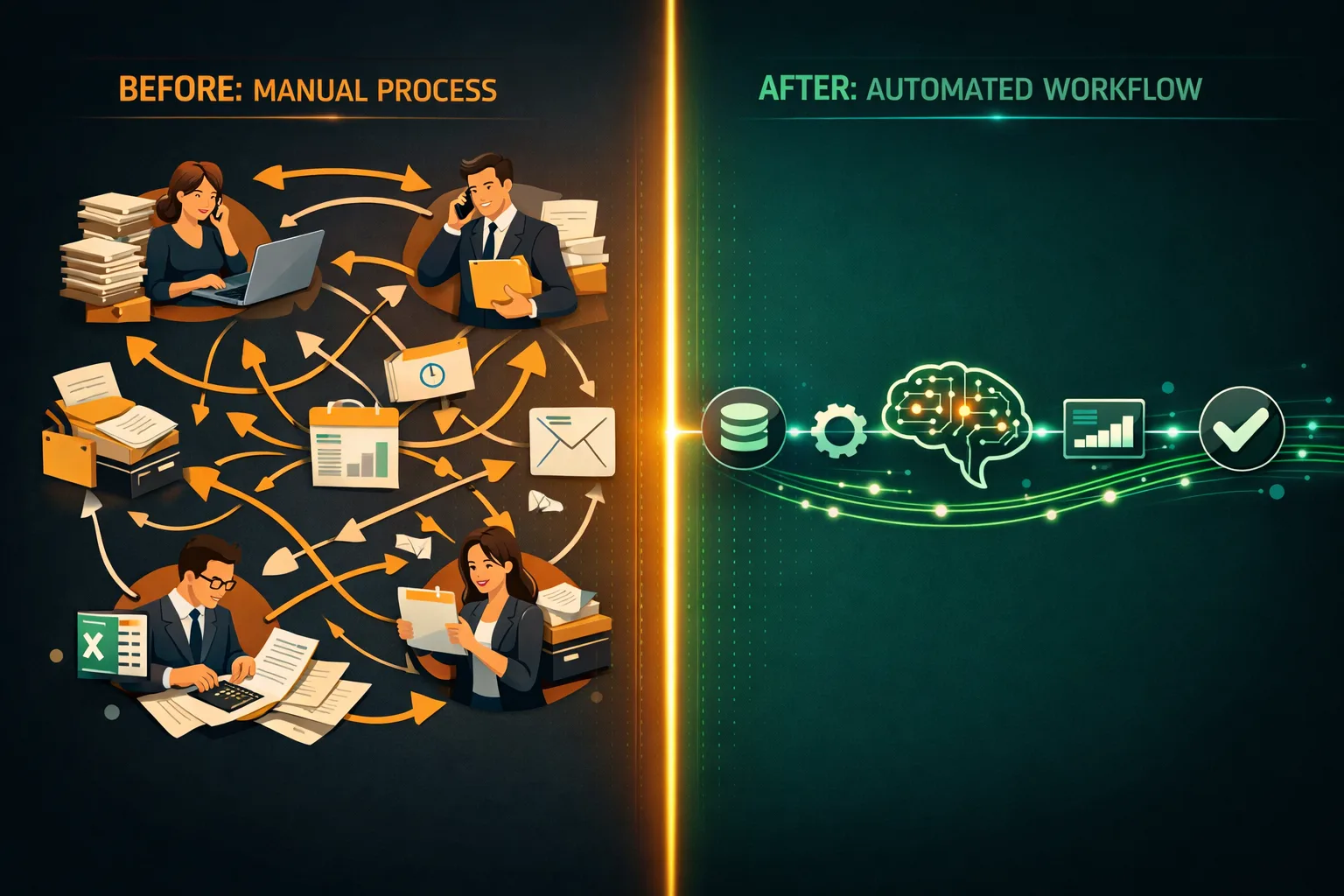
The Gap Between "AI Will Automate Everything" and Reality
You've heard the claims. AI will automate 30% of all tasks. Entire departments will be replaced. Every process will run itself.
For most businesses, it doesn't work that way — and that's actually fine. AI automation performs best when it targets specific, well-defined tasks inside real business processes. When that's done right, the results are concrete: hours recovered every week, error rates that drop sharply, and teams doing work that actually requires them.
This post walks you through exactly how an AI automation project unfolds — from the first conversation to a system running in production.

Step 1: Identifying the Right Process to Automate
Not every process is a good candidate. The ones that are tend to share a few traits:
- High volume — the task happens often enough that time savings compound across hundreds of repetitions
- Rule-based or pattern-driven — there's a consistent logic to it, even if the inputs vary each time
- Defined inputs and outputs — you can describe what goes in and what should come out
- Currently done by hand — a person is doing it now because there's no better option yet
Common examples from businesses I work with:
- Pulling data from supplier invoices and entering it into an accounting system
- Sorting and routing incoming customer emails or support tickets
- Generating first-draft sales proposals or reports from a template
- Tracking competitor pricing and flagging changes
- Summarising meeting recordings or call transcripts
If you can describe the task as a clear set of rules — or show ten examples of it done correctly — it's a strong candidate.

Step 2: Scoping the Solution
Once we agree on the right process, we scope what we're building. That means four concrete conversations:
Where does the data come from? — Email attachments, a shared drive, a web form, a CRM export? Each source type needs different handling on the technical side.
What should happen after the AI processes it? — Create a record in a database? Send a notification? Generate a document? Update a field in your CRM? "Update the CRM" is not a requirement — we need to get specific here.
What confidence level triggers automatic processing versus a human review queue? — AI is not 100% accurate. This is one of the most important conversations in any project. Skip it, and the system either blocks too much or lets errors through.
What happens with exceptions? — Who reviews them, through what interface, and within what timeframe?
A scoping session typically runs 3–4 hours across one or two meetings. The output is a one-page technical brief: what we're building and what success looks like.
Step 3: Building a Proof of Concept
Before committing to a full build, we run a focused proof of concept. This takes 2–3 weeks and involves:
- Collecting a representative data sample — 50–200 real examples of the inputs your process actually receives
- Training or configuring the AI component — a fine-tuned extraction model, a classification model, or a large language model with a structured prompt, depending on the task
- Running the PoC against the sample — measuring accuracy, edge cases, and failure modes
- Reviewing results together — what the AI got right, what it got wrong, and what an acceptable failure rate looks like in practice
Most clients are surprised by how good the PoC results are. I've run this across several deployments — the reaction is consistent. They're also glad they ran the PoC before full build, because it almost always surfaces at least one requirement that wasn't visible at the start.

Step 4: Building the Full System
If the PoC hits the agreed accuracy targets, we move to full build. This phase typically takes 4–8 weeks, depending on complexity and how many systems need to be connected.
The full system includes:
- The AI processing layer — the model or pipeline that handles the core task
- Input handling — connectors to your email, file system, or other data sources
- Output integration — API connections to your CRM, ERP, accounting platform, or other target systems
- Exception queue and review interface — a simple panel for your team to review and approve items the AI wasn't confident about
- Logging and monitoring — visibility into volume processed, accuracy rates, and system errors
We don't build black boxes. Every system we deliver has dashboards or reports so you can see exactly what it's doing.
Step 5: Handover and Ongoing Support
When the system goes live, we run a structured handover:
- A walkthrough session with the team that will use and manage it
- Written documentation: how it works, how to handle exceptions, what to do when something breaks
- A 30-day hypercare period where we're reachable for any issues or adjustments
After that, we offer optional monthly retainer support — monitoring, model retraining as data patterns shift, and adding new capabilities when the business needs them.

What Does It Cost and How Long Does It Take?
Every project is different. Here are realistic ranges:
| Project Type | Timeline | Investment Range |
|---|---|---|
| Single-task automation (e.g. invoice extraction) | 6–10 weeks | €5,000–€12,000 |
| Multi-step workflow (e.g. email triage + CRM update) | 10–16 weeks | €12,000–€25,000 |
| Complex pipeline with multiple integrations | 16–24 weeks | €25,000–€60,000+ |
These are build costs. Ongoing operational costs — AI API usage, hosting — typically run €100–€500/month at SMB-scale volumes.
What You Can Realistically Expect
A well-built AI automation delivers:
- 60–90% less time spent on the automated task
- 80–95% fewer errors compared to manual processing
- Payback in 6–18 months for most SMB-scale projects
- Better team morale — people prefer working on complex problems over re-typing data from one place to another
What it does not deliver:
- Instant results — there's always a build and stabilisation curve
- Zero exceptions — edge cases will exist and will always need a human
- A one-time cost — AI systems need maintenance as inputs evolve
Ready to Explore What Automation Could Do for You?
The best starting point is a 30-minute conversation about a specific process you want to automate. I'll tell you straight: whether it's a strong candidate, what it would roughly involve, and whether the ROI makes sense at your scale. Not sure if your business is ready? Start with an AI Readiness Audit to identify your highest-ROI opportunities first.
Let’s talk about your project
Free 30-minute consultation. We’ll figure out if and how I can help.